
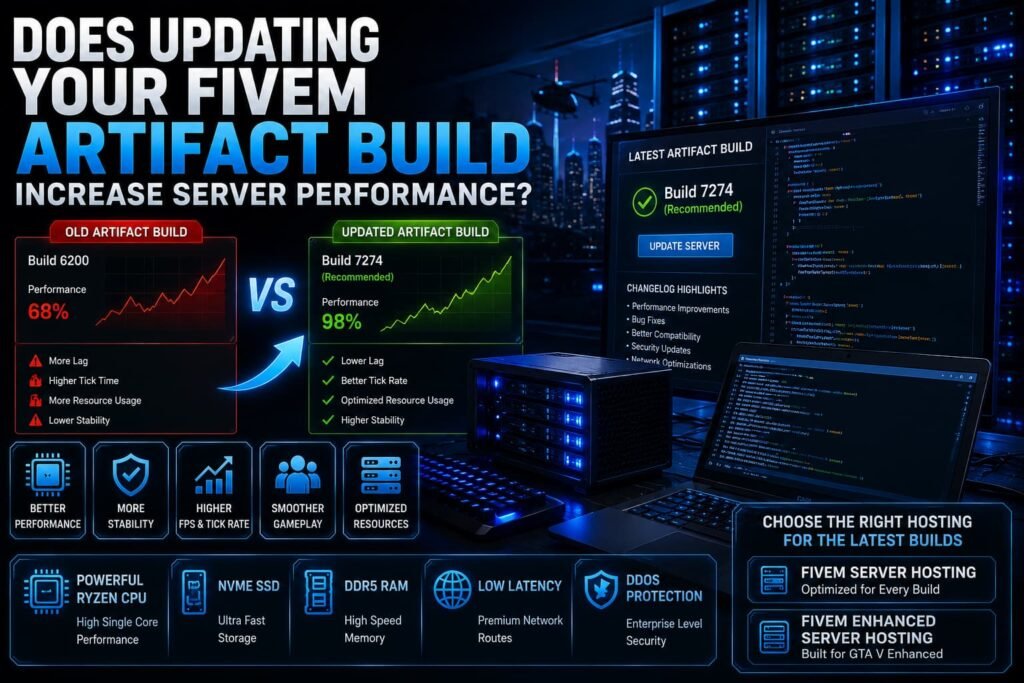
If you’ve searched “does artifact build increase FiveM performance,” you’re probably wondering whether updating your FiveM Artifact can make your server faster, reduce lag, or improve stability.
The short answer is: it can, but an artifact update is not a guaranteed performance upgrade.
Newer FiveM server builds can include bug fixes, compatibility improvements, security updates, and other changes that may improve how a server behaves. However, your overall performance also depends on your scripts, CPU, RAM, database, storage, network conditions, and server configuration.
In other words, updating your artifact can help, but it shouldn’t be the first or only solution for every performance problem.
What Is a FiveM Artifact?
A FiveM Artifact is a server build used to run FXServer, the server component behind a FiveM server.
Artifact releases can contain changes related to:
- Bug fixes
- Compatibility
- Stability
- Security
- Networking
- Server functionality
- Support for newer game builds
Think of the artifact as part of the software layer that runs your FiveM server. Keeping it reasonably up to date can help you stay compatible with the current FiveM ecosystem.
However, newer doesn’t automatically mean faster for every server. Your resources and configuration also determine how your server performs.
Does Updating a FiveM Artifact Increase Performance?
Sometimes.
A newer artifact may contain changes that improve stability, resource handling, networking, or other aspects of server operation. If your current build has a known bug or compatibility problem, updating may also resolve an issue that was affecting your server.
But an artifact update won’t automatically fix problems caused by:
- Poorly optimized scripts
- Excessive resource usage
- Slow database queries
- Insufficient RAM
- Weak CPU performance
- Network problems
- Incorrect server configuration
For example, if one of your resources is consuming excessive CPU time, installing a newer artifact doesn’t necessarily fix that resource.
If you’re troubleshooting overall performance, start by identifying the actual bottleneck. Our guide on how to speed up your FiveM server covers script, database, resource, hardware, and configuration optimizations.
What Has the Biggest Impact on FiveM Server Performance?
Artifact versions matter, but they are only one part of the performance equation.
1. CPU Performance
CPU resources are important for server-side processing, particularly when your server is running many resources and handling a larger number of players.
CPU workload can come from:
- Server scripts
- Framework resources
- Database operations
- Entity management
- Gameplay systems
- Custom resources
If your CPU is consistently the bottleneck, changing artifact versions alone won’t solve the underlying problem.
You can learn more in our FiveM CPU Requirements guide.
2. RAM
Your server also needs enough memory for its resources and workload.
RAM requirements can increase as you add:
- Scripts
- Framework resources
- Maps
- Vehicles
- MLOs
- Player data
- Databases
- Other server processes
If your server is regularly running close to its available memory, investigate memory usage before assuming the artifact is responsible.
See our guide on how much RAM a FiveM server needs for more information.
3. Script Optimization
A poorly optimized resource can create performance problems regardless of which artifact you’re running.
Common issues include:
- Inefficient loops
- Excessive event calls
- Frequent database queries
- Unnecessary background processing
- Poorly optimized client/server communication
- Resource conflicts
Use FiveM’s available monitoring tools to identify resources that consistently consume significant processing time.
4. Database Performance
RP servers often depend heavily on databases for player information, inventory, vehicles, businesses, banking, and other systems.
Slow queries can result in:
- Delayed player loading
- Inventory delays
- Vehicle save problems
- Banking delays
- Character loading issues
Optimizing queries and database structure can have a much bigger impact than simply switching artifact versions when the database is the actual bottleneck.
5. Storage
Your server’s storage affects how quickly files and other data can be accessed.
Fast NVMe storage can be beneficial for workloads involving frequent file and database operations, but storage speed isn’t a replacement for efficient scripts or adequate CPU and RAM.
6. Network Quality
Network conditions can affect synchronization and the experience players have when connecting to your server.
Latency, packet loss, routing, and bandwidth are separate considerations from artifact performance.
If you’re investigating network-related problems, see our guide to FiveM Bandwidth Requirements.
Should You Always Use the Latest FiveM Artifact?
No.
Keeping your server reasonably up to date is useful, but immediately installing every new build on a production server isn’t always necessary.
A better approach is to check the changes in a new build and test it against your server’s resources.
Before updating:
- Back up your server files.
- Back up your database.
- Review the relevant release information.
- Test the new build if you have a staging environment.
- Check your framework and resource compatibility.
- Monitor the server after deployment.
- Keep your previous working build available for rollback.
This is especially important for established communities with many custom resources.
Recommended Build vs Canary Build
FiveM provides different artifact channels, including Recommended and Canary builds.
Recommended Build
The Recommended channel is generally the safer choice for production servers that prioritize stability.
It makes sense for most established communities that don’t specifically need functionality available only through another channel.
Canary Build
Canary builds provide access to newer changes and may be useful for testing or for server owners who specifically need something available there.
However, newer or less-tested changes can introduce compatibility issues.
For a live FiveM community, it’s generally sensible to prioritize stability and test significant changes before putting them into production.
Can a New FiveM Artifact Cause Problems?
It can.
An artifact update changes the server software layer, and older resources may not always behave exactly as expected after an update.
Potential problems can include:
Outdated Resources
Older scripts may need updates to remain compatible with newer server builds.
Custom Resources
Heavily customized resources should be tested after an artifact update.
Framework Compatibility
Your framework and its associated resources should be checked after significant server software changes.
Third-Party Dependencies
A resource that depends on another outdated component can also cause errors after an update.
This doesn’t mean you should avoid updating. It means you should test updates rather than assuming every new build will work identically with every server configuration.
How to Update a FiveM Artifact Safely
When you’re ready to update:
Step 1: Back Up Your Server
Create a backup of your server files and database before making changes.
Step 2: Check Your Current Artifact
Identify the build you’re currently running so you can roll back if necessary.
Step 3: Download the Appropriate Build
Use the official FiveM artifact distribution rather than downloading server builds from unknown third-party websites.
Step 4: Test Your Resources
Start the updated server and check for:
- Console errors
- Resource failures
- Framework problems
- Database errors
- Unexpected server behavior
Step 5: Monitor Performance
Don’t assume the server is faster simply because the artifact number increased.
Compare resource usage and server behavior before and after the update.
Step 6: Roll Back If Necessary
If a new build creates compatibility problems that you cannot resolve quickly, return to your previously tested build while investigating the issue.
Does an Artifact Update Fix FiveM Lag?
Not necessarily.
“FiveM lag” can refer to several different problems, and an artifact update only addresses problems that are actually related to the server software.
For example:
| Problem | Could an Artifact Update Help? |
|---|---|
| Server software bug | Potentially |
| Compatibility issue | Potentially |
| Poorly optimized script | Usually not |
| Slow SQL query | No |
| Insufficient RAM | No |
| Weak CPU | No |
| Network packet loss | Usually not |
| Poorly optimized assets | Usually not |
This is why identifying the source of the problem is more important than simply installing a newer artifact.
Does Better FiveM Hosting Matter More Than the Artifact?
When infrastructure is the bottleneck, yes, hosting resources can make a much bigger difference.
A FiveM server needs adequate:
- CPU resources
- RAM
- Storage
- Network connectivity
- DDoS protection
- Server management tools
For example, if your server is consistently CPU-limited, moving to a stronger CPU can address the actual bottleneck. If you’re running out of RAM, additional memory is more relevant than changing artifact versions.
If you’re looking for infrastructure designed for FiveM workloads, FiveM Server Hosting can give you access to different resource configurations based on your server’s needs.
What Should You Do Before Updating Your Artifact?
Use this quick checklist:
- Back up your server
- Back up your database
- Check the current artifact version
- Review changes in the new build
- Test compatibility with your resources
- Test your framework
- Check console errors
- Monitor resource usage
- Test player-facing features
- Keep a rollback option
This approach is much safer than updating a live production server without testing.
Running GTA V Enhanced?
If you’re running a GTA V Enhanced server, artifact and resource compatibility becomes even more important as the platform and supporting resources evolve.
If you’re specifically looking for infrastructure for an Enhanced setup, see FiveM Enhanced Server Hosting from Revive Hosting.
Final Verdict
So, does an Artifact build increase FiveM performance?
It can, but don’t expect an Artifact update to transform an underperforming server.
Newer builds can provide bug fixes, compatibility improvements, stability changes, and other improvements that may benefit your server. But your actual performance depends on the entire environment.
If you’re experiencing problems, check your scripts, CPU, RAM, database, storage, network, and configuration before blaming the artifact.
The best approach is simple:
Keep your artifact reasonably up to date, test important updates, monitor your server, and fix the actual bottleneck rather than relying on an artifact update as a universal performance solution.
Frequently Asked Questions
Does updating FiveM Artifact improve performance?
It can in some cases, particularly when an update contains relevant fixes or optimizations. However, it won’t automatically fix performance problems caused by scripts, hardware, databases, or network issues.
Should I always use the latest FiveM Artifact?
No. Keep your server reasonably up to date, but test important updates before deploying them to a live production server.
Is the Recommended Build better than Canary?
For most production servers, the Recommended channel is the safer choice when stability is the priority. Canary can be useful when you need newer changes or want to test them.
Can an artifact update break my FiveM server?
It can expose compatibility problems with outdated or custom resources. Back up your server and test significant updates before deploying them.
Does an artifact update reduce FiveM lag?
Only if the lag is related to something the artifact update addresses. Script, CPU, RAM, database, and network problems generally require separate fixes.
How often should I update my FiveM Artifact?
Review new releases regularly, but don’t update blindly. Update when there is a relevant fix, compatibility requirement, security reason, or other meaningful benefit—and test first when possible.
What has the biggest impact on FiveM performance?
Performance depends on the complete server environment. CPU, RAM, scripts, database performance, storage, network conditions, and configuration can all have a significant impact.